Unlocking Natural Depth: How 50 High-Resolution Wood Texture Stamp Brushes Transform Digital Art
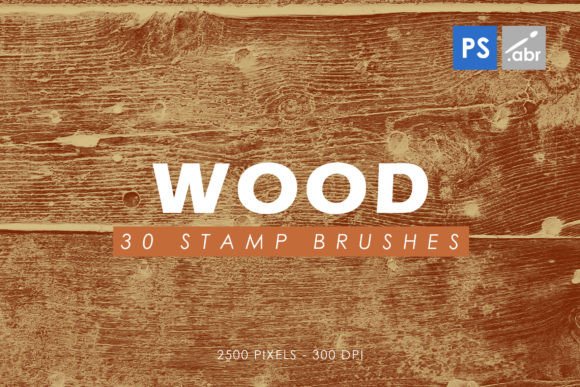
In the vast landscape of digital design, achieving a sense of authenticity and tactile realism can be one of the most challenging aspects of creating compelling visuals. Whether you are designing a rustic logo, crafting a fantasy game environment, or adding organic warmth to a modern web interface, the right textures make all the difference. This is where specialized tools like Wood Texture Photoshop Stamp Brushes become indispensable assets for creators. By leveraging a collection of 50 high-resolution stamp brushes, ranging from CS2 to the latest CC versions, designers can instantly infuse their projects with the intricate grain, knots, and weathered character of real wood.
The Power of Organic Textures in Digital Design
Why do we crave the look of wood in our digital creations? The answer lies in psychology and aesthetics. Wood is universally associated with nature, stability, warmth, and craftsmanship. In an era dominated by sleek, minimalist, and often sterile digital interfaces, introducing organic elements helps ground a design, making it feel more human and approachable. A flat vector logo can feel cold, but overlaying a subtle wood texture gives it weight and history. Similarly, a video game UI that mimics carved parchment or aged timber immerses the player in the world far more effectively than standard plastic-looking buttons.
However, manually painting wood grain from scratch is time-consuming and requires advanced artistic skill. This is precisely why wood photoshop stamp brushes were developed. These digital tools allow users to "stamp" realistic wood patterns onto any surface with a single click or brush stroke. They bridge the gap between technical precision and artistic expression, allowing beginners and professionals alike to achieve complex results quickly.
What Are Stamp Brushes?
To understand the value of these tools, it is helpful to first clarify what a stamp brush actually is. Unlike standard paintbrushes that simulate fluid dynamics or dry media, stamp brushes function like rubber stamps. When you press down on your graphics tablet or mouse, the brush deposits a pre-defined image—such as a patch of oak, pine, or walnut grain—onto your canvas.
The specific set mentioned here contains 50 unique stamp brushes, each designed to capture different variations of wood. This variety is crucial because no two pieces of wood are identical. By having a diverse library, you can avoid the repetitive, tiled look that often plagues amateur texture work. Instead, you can layer different grains, directions, and wear patterns to create something that looks genuinely handcrafted.
Technical Specifications and Compatibility
One of the primary concerns for any designer adopting new digital assets is compatibility and quality. Fortunately, this particular pack is built to be universally accessible and exceptionally high-quality.
- Universal Compatibility: The brushes are fully compatible with Photoshop CS2 through the latest Creative Cloud (CC) versions. This ensures that whether you are using older software for legacy project support or the newest version for advanced AI features, these tools will integrate seamlessly without requiring updates or patches.
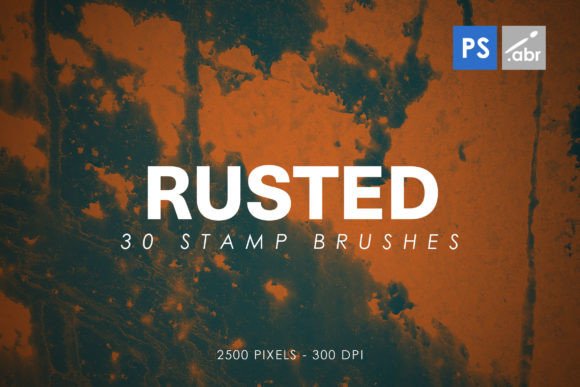
- High Resolution: Each brush is crafted at a size of 2500 pixels. This high pixel count is vital for maintaining clarity. Low-resolution brushes often appear pixelated or blurry when scaled up, ruining the illusion of realism. At 2500 pixels, these wood textures retain their sharp edges and fine grain details even when applied to large-format prints or high-DPI screens.
- High-Definition Imagery: Because these are based on high-resolution images rather than simple vector paths, they capture the subtle imperfections of real wood—tiny cracks, color variations, and rough surfaces—that add significant visual interest.
Practical Applications: Where to Use Wood Stamps
The versatility of these 50 wood texture stamp brushes extends across numerous creative disciplines. Here are some practical ways designers, marketers, and hobbyists can utilize them in their workflow.
1. Photo Manipulation and Overlays
Perhaps the most common use case is photo manipulation. If you have a photograph of a plain wooden table or a door, you can enhance its realism by stamping additional grain over areas that look too smooth. Conversely, if you are compositing a forest scene, you can use these brushes to add detailed bark textures to tree trunks that lack sufficient detail. They also serve as excellent overlays; by placing a wood stamp brush on top of an image and changing the blending mode to "Overlay" or "Soft Light," you can give a digital illustration a warm, vintage aesthetic.
2. Game Assets and Visual Effects
In game development, texture mapping is essential for creating believable environments. Developers can use these stamp brushes to quickly generate textures for chests, barrels, weapons, and architectural elements. For indie developers working with limited budgets, these brushes provide a professional-grade alternative to expensive texture packs. They allow for rapid prototyping of assets that need to look rugged and durable.
3. Graphic Design and Branding
For branding purposes, wood textures convey trust and heritage. A bakery might use a stamped wood texture behind its logo to suggest artisanal baking methods. A law firm might use it in background designs to imply stability and tradition. Furthermore, these brushes are perfect for creating custom text fills. Imagine a headline where the letters themselves are filled with rich mahogany grain, giving typography a three-dimensional, tangible feel.
4. Decorative Elements and Scrapbooking
Digital scrapbookers and card makers frequently use stamp brushes to create decorative borders, frames, and embellishments. The 50 included variations offer enough diversity to create cohesive themes without looking repetitive. You can create a rustic wedding invitation suite by stamping wood textures around the edges of the layout, paired with floral elements.
Common Misconceptions About Digital Brushes
It is important to address a few common misunderstandings regarding the use of stamp brushes to ensure you get the best results.
Misconception 1: "Stamp brushes look fake if used alone."
While it is true that a single stamp can look artificial, the key to realism is layering and variation. Experienced artists rarely use just one brush setting. They rotate the brush angle, change the opacity, and combine multiple wood types (e.g., mixing pine knots with oak grain). This mimics how natural wood exists in the wild—with complexity and irregularity.
Misconception 2: "These brushes replace the need for learning design principles."
Tools like these are accelerators, not replacements for skill. Understanding lighting, composition, and color theory is still essential. A wood texture placed incorrectly can look out of place. For example, applying a wet, fresh wood texture to an ancient, crumbling ruin would break the viewer's immersion. Context matters immensely.
Getting Started with Your Wood Brush Pack
Integrating these 50 stamp brushes into your workflow is straightforward. Once installed, they will appear in your Photoshop Brush Presets panel. To maximize their potential, consider the following tips:
- Experiment with Blending Modes: Don't just stick to "Normal." Try "Multiply" for shadows, "Screen" for highlights, and "Overlay" for integrating textures into existing images.
- Use Layer Masks: Instead of painting directly on your base layer, apply the stamp brushes on a new layer with a mask. This allows you to erase parts of the texture non-destructively, refining the look until it fits perfectly.
- Adjust Opacity and Flow: Lowering the opacity can help blend the wood texture subtly into the background, while higher opacities are better for distinct, bold applications like text fills.
- Combine with Other Textures: Pair wood stamps with paper, leather, or stone brushes to create mixed-media effects that tell a richer story.
Conclusion
In the hands of a skilled creator, a set of 50 Wood Texture Photoshop Stamp Brushes is more than just a collection of images; it is a toolkit for storytelling. By providing high-resolution, versatile, and easy-to-use resources, these brushes empower designers to bring the warmth and authenticity of the natural world into the digital realm. Whether you are enhancing a corporate brand identity, building a immersive game world, or simply exploring your creativity, these brushes offer a seamless way to add depth, character, and realism to your work. Embracing these tools not only speeds up your production process but also elevates the final quality of your projects, ensuring they resonate with audiences on a deeper, more intuitive level.